
There are currently 4.59 billion email users worldwide, roughly 56% of the global population, and that number is still growing. If you didn't already consider email marketing a vital part of your marketing mix, that should settle it.
Having an audience to send to isn't the hard part. 69% of consumers have unsubscribed from a brand's emails because they were receiving too many, and 56% cite irrelevant content as the reason. The fallout goes beyond unsubscribes: untargeted, high-frequency sending damages deliverability, puts your account at risk with your email service provider, and can expose your business to legal liability.
For HubSpot users, the platform gives you the tools to avoid all of that. The question is whether you're using them.

Don't skip the groundwork
One of the more common mistakes in email marketing is treating the segment or list as an afterthought. Sending a well-crafted email to the wrong audience, or an audience that was never genuinely interested in hearing from you, produces poor results regardless of how good the content is.
Purchasing lists sits at the extreme end of this problem. Beyond the low open and click-through rates you can expect from cold, untargeted contacts, a purchased list puts your sender reputation at risk and can get your account flagged by your email service provider. Building your segment organically takes longer, but the quality difference is significant, and the flow-on effect on campaign performance is real. Using a double opt-in is worth the extra step: it confirms that contacts genuinely want to hear from you, which protects both your deliverability and your legal standing.
Email segmentation
Within HubSpot, you have two segment types to work with. Static segments (or static lists) are fixed at the point of creation and don't change unless you manually update them, making them well-suited to one-off sends with a defined, stable audience. Active segments (or active lists) update automatically based on criteria you set: contact properties, lifecycle stage, form submissions, website behaviour, or any combination. For ongoing campaigns, active lists are the stronger option because your audience stays current without manual work.
HubSpot's own benchmark data shows 65% of marketers report segmented sends outperform unsegmented ones in click-through rates. A prospect who's never heard of you needs a different conversation than a customer who's bought from you twice.
Two segments worth setting up early:
- Unengaged contacts: Anyone who hasn't opened or clicked in 90-plus days. Excluding this group from regular sends protects your deliverability and keeps your metrics meaningful.
- Lifecycle stage segments: Leads, marketing qualified leads, and customers should generally be receiving different content.
Building a great email marketing
Understanding your audience through buyer personas is the foundation of good email content. When you know what your contacts are trying to achieve and what's getting in the way, you can write emails that help them rather than simply promote you. Before any of that lands, though, the email needs to be built correctly.
1. Spam filter
Design around it from the start. Words like "free" and "buy" in subject lines can push emails into junk before they're ever seen. It's also worth asking contacts to whitelist your address, which ensures delivery regardless of filter behaviour.
2. Sender name
Emails sent from a real person consistently outperform those sent from a generic address. HubSpot lets you assign the sender as the contact owner, so the email arrives appearing to come from whoever the contact already knows at your business.
3. Subject line and preview text
These work as a pair. Keep the subject line under 30 characters to avoid it being cut off on mobile, and use the preview text (between 35 and 90 characters) to add context rather than repeat what the subject already said. Together, they should give the reader a reason to open without resorting to clickbait, which erodes trust quickly.
4. Personalisation
HubSpot's personalisation tokens let you pull CRM data into the subject line, preview text, or body copy. Used well, they make an email feel like a direct communication rather than a broadcast. Emails using personalisation deliver six times higher transactional rates than those without.
5. Email body
There's no formula for perfect email copy. It comes down to knowing your audience well enough to write something they find genuinely useful. That understanding is what drives click-throughs.
6. Call to action
One clear CTA outperforms several competing ones. HubSpot gives you buttons, text links, and image options; prominent, colourful buttons tend to perform well as long as they fit your brand aesthetic. If the tone suits it, animated GIFs can work well too. Make it obvious what you're asking someone to do, and make sure the page they land on delivers exactly what the email promised.

Making sense of the data
Sending the email is the start of the work, not the end of it. HubSpot's post-send analytics give you a detailed view of how each campaign performed, and reading them correctly matters.
Open rate is the figure most people check first, but it needs context in 2026. Apple's Mail Privacy Protection pre-loads email content for Apple Mail users, registering opens that may never have happened. Since Apple Mail accounts for roughly 46% of all email clients, reported open rates across the industry have been inflated as a result. HubSpot's adjusted open rate filters out this activity and gives you a more accurate picture. Use it as a directional signal rather than a precise measure.
Click-through rate (CTR) and click-to-open rate (CTOR) are the more reliable indicators of actual engagement. CTR measures clicks against total recipients. CTOR measures clicks against openers, making it the cleaner read on whether your content worked once someone was inside the email. According to MailerLite's benchmarks, the average CTOR across all industries sits at 6.81%, which is a reasonable starting point for comparison.
Segment health and deliverability
Unsubscribe rate is worth watching send by send. Anything above 0.5% typically points to frequency being too high, content not being relevant to that segment, or contacts who weren't genuinely opted in. HubSpot records unsubscribe reasons when contacts provide them, which helps identify where the issue sits.
Bounces split into two types. Soft bounces are temporary (a full inbox, a server issue) and HubSpot will retry delivery automatically. Hard bounces mean the address is invalid; HubSpot suppresses these contacts to protect your sender reputation. Staying below a 2% overall bounce rate is the standard to aim for, and if hard bounces are climbing, the list needs cleaning before your next send.
HubSpot's email health tool ties all of this together, scoring your sending reputation and benchmarking your performance against similar accounts. Reviewing it regularly is considerably easier than recovering from a deliverability problem after the fact. The data from each send is, in effect, a brief for the next one.
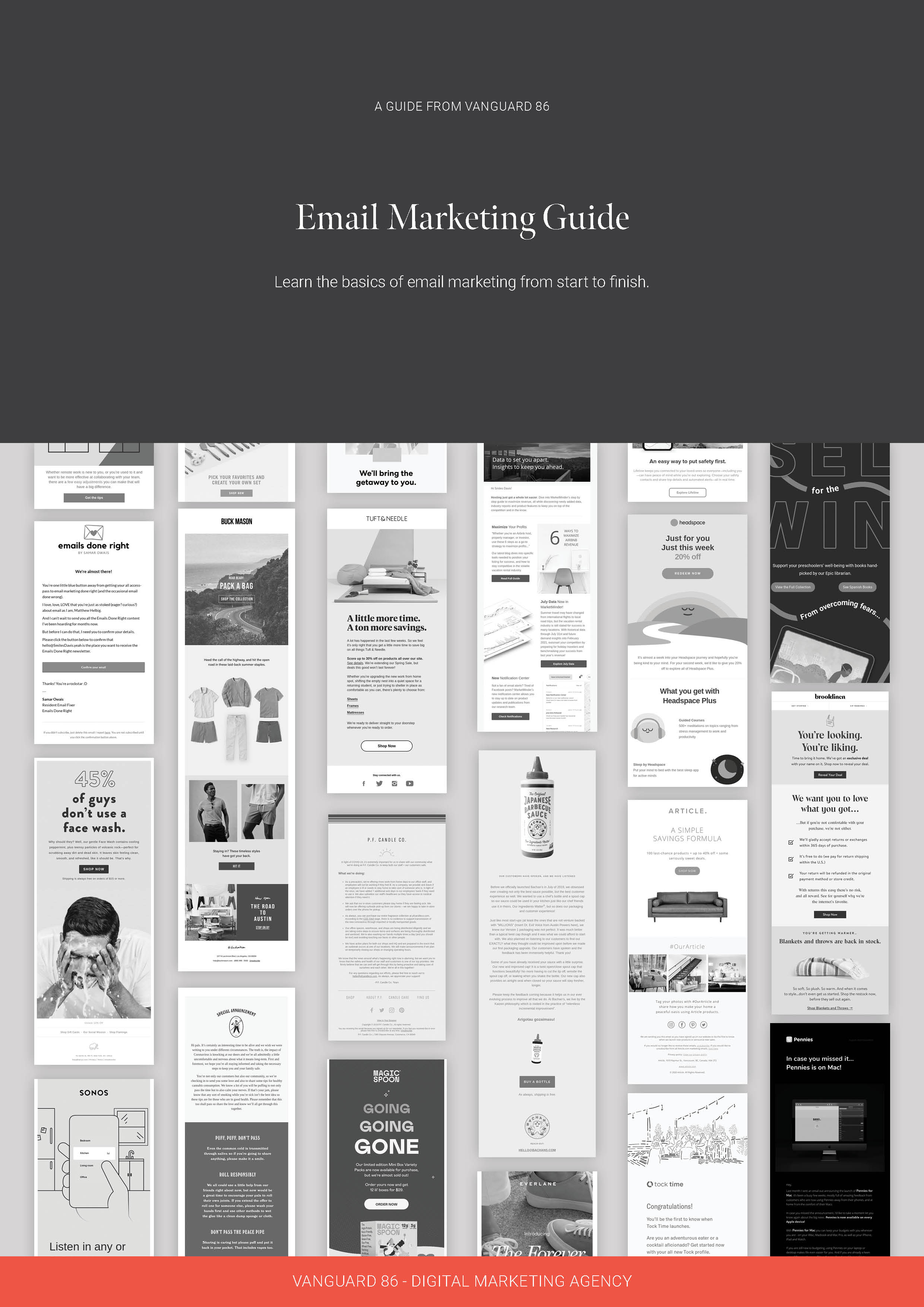
Getting the most out of your email marketing takes more than good copy. Download our ultimate guide to email marketing for a complete walkthrough of building an email that delivers results.
Download our ultimate email marketing guide
Learn the basics of effective email marketing with our free guide. You’ll understand what impacts deliverability, uncover the key drivers of higher open rates, learn how to boost click-throughs and engagement, and more.

.jpg?width=352&name=spam-964521_1920%20(1).jpg)